

Booking an airport pickup for someone else in San Diego is simple, and the ride does not have to be for you. Plenty of airport rides are booked by someone who will not be in the car at all: a son booking a ride for his mother, a host collecting wedding guests, an assistant arranging a car for a visiting client. This guide explains how to book a pickup at San Diego International Airport (SAN) for another person, which details to give, how the passenger finds the chauffeur, and what to think about for older parents, first-time flyers and business guests.
Quick answer: book on our booking page with SAN as the pickup and the passenger’s destination as the drop-off. Add the flight number, the number of passengers and bags, and any child seats or Meet & Greet. At checkout, write the passenger’s full name and mobile number in the order notes. You pay online by card, Apple Pay or Google Pay, and the passenger pays nothing on the day.
Book Your RideWho books an airport pickup for someone else?
The person who books and the person who rides are often different people. Common cases:

- Adult children booking for parents who are flying in to visit, or flying home after a stay.
- Hosts of weddings, reunions and family events with guests landing at different times.
- Companies collecting clients, candidates and new hires who do not know San Diego.
- Partners and friends who cannot leave work to drive to the airport.
- Travelers from other states arranging a ride for a relative who lands before or after them.
In each case the goal is the same: the passenger walks out of the terminal, finds a car that is already expecting them, and pays nothing.
How to book a pickup for another person, step by step
- Open the booking page and choose San Diego International Airport as the pickup. Enter the passenger’s destination: a home, a hotel, an office or another address in San Diego County.
- Enter the date and the flight’s scheduled landing time, and add the flight number in the flight field.
- Set the passengers and bags. Each SUV takes up to 6 passengers and 5 large bags.
- Add extras: child seats ($20 each, up to 2) and Meet & Greet (+$30) if the passenger should be met inside.
- At checkout, use your own name, email and payment details. You are the customer.
- In the order notes, write the passenger’s full name and mobile number. Add anything else the chauffeur should know.
- Pay online by card, Apple Pay or Google Pay. We do not take cash, so the passenger never needs a wallet for the fare.
What to put in the order notes
| Detail | Example | Why it matters |
|---|---|---|
| Passenger’s full name | Maria Lopez | The chauffeur asks for this name, and it goes on the Meet & Greet sign |
| Passenger’s mobile number | Include the country code for a foreign phone | The chauffeur contacts the passenger, not you, on arrival |
| Language | “Speaks Spanish, a little English” | Helps the chauffeur keep the conversation simple |
| Mobility needs | “Uses a walker; airline wheelchair booked” | The chauffeur allows time and space |
| Destination details | Gate code, building entrance, hotel name | Gets the passenger to the right door |
| A backup contact | Your own number | In case the passenger’s phone is off or flat |
Then forward your booking confirmation to the passenger, so they have the date, time and pickup details too.
Curbside pickup or Meet & Greet?
This is the main choice you make for the passenger: a standard curb pickup or our Meet & Greet airport service. Both include flight tracking and up to 1 hour of free waiting after the flight lands.
| Option | Where the chauffeur meets them | Best for |
|---|---|---|
| Curbside pickup (standard) | At the curb outside arrivals, after the passenger has collected their bags | Confident travelers with a working phone who know the airport |
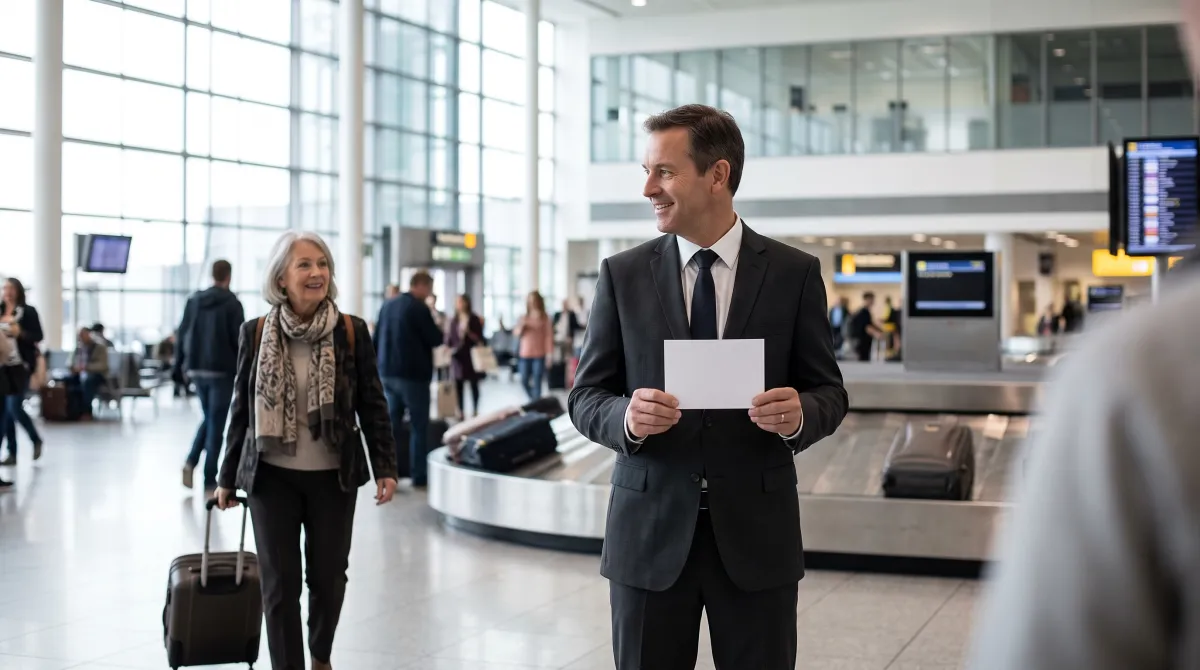
| Meet & Greet (+$30) | Inside at baggage claim, holding a sign with the passenger’s name | Older parents, first-time visitors, guests with no local phone, VIP clients |
An airport pickup sign with their name on it takes the guesswork away. For $30 it is often the easiest way to make sure the passenger feels looked after from the moment they land.
How the passenger finds the chauffeur
San Diego International Airport has two terminals, Terminal 1 and Terminal 2, and both have arrivals on the lower level. Our San Diego airport guide lists which airlines use which terminal. Share these points with the passenger before the trip:
- Turn the phone on after landing. The chauffeur contacts the passenger on the number you gave.
- Collect the bags first. Waiting up to 1 hour after landing is free, so there is no need to rush.
- With curbside pickup: walk out of the arrivals level to the curb, where the chauffeur meets them with a black SUV.
- With Meet & Greet: look for the chauffeur holding the name sign inside at baggage claim.
- If anything goes wrong: call us at (858) 413-8888. We run 24/7.
You do not need to send a new time if the flight is early or late. We track the flight and adjust.
Booking for elderly parents
Parents and grandparents are one of the most common cases. A few extra steps make their trip much easier.
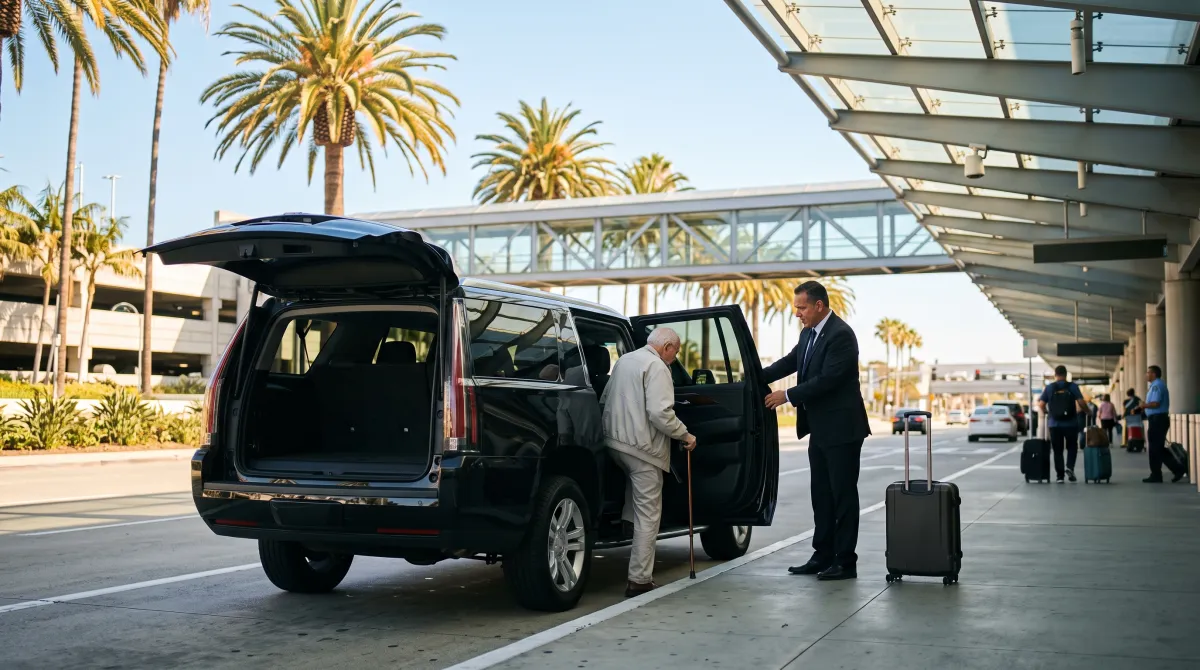
- Choose Meet & Greet. They do not have to find the curb, and the chauffeur helps with the bags from the carousel.
- Book airline wheelchair assistance with the airline if walking long distances is hard. The airline arranges this, not us. Tell us in the notes so the chauffeur knows.
- Mention walkers, canes and folding wheelchairs in the notes, so the chauffeur keeps room for them.
- Be aware that SUVs sit higher than a sedan. The chauffeur can hold the door and steady them as they step in.
- Write down the plan for them on paper: the chauffeur’s role, the meeting point and your phone number. Not everyone reads email on a phone at an airport.
First-time flyers and international guests
Someone visiting San Diego for the first time, or arriving from abroad, may not have a US phone plan that works when they land. Meet & Greet solves that, because the chauffeur stands where every arriving passenger walks past. For an international arrival, add the passenger’s home phone number with the country code, and remember that passport control and customs take time. The free 1-hour wait starts when the flight lands.
Traveling with small children? Book child seats with the ride: we carry infant, toddler and booster seats. Our airport transfer with a car seat guide explains how they work.
Clients, candidates and employees
When the passenger is a business guest, the pickup is part of the first impression. A chauffeur in a dark suit, a clean black SUV with Wi-Fi and phone charging, and a name sign at baggage claim set the right tone before the first meeting.
- Book with a company card and write the guest’s name and mobile number in the order notes.
- Choose Meet & Greet for senior clients and anyone new to San Diego.
- Add the hotel or office address and, if useful, a contact name at the destination.
- Book the return to the airport at the same time, so the guest has nothing to arrange.
Our chauffeurs are licensed, background-checked and drug-tested, and every vehicle has commercial insurance. Companies that book often can read about our corporate car service.
Payment, changes and cancellation
- You pay when you book, online by card, Apple Pay or Google Pay. No cash, and the passenger does not pay on the day.
- The price is fixed per vehicle and covers the vehicle, the chauffeur, fuel and tolls. Gratuity is not included; if you want to tip for the passenger, you can do it when you book.
- Free cancellation up to 24 hours before pickup.
- To cancel or change the date, use our cancel or change page with the order number and the email you booked with, or call us.
For more about pickups at SAN in general, see our airport car service in San Diego. Late flights are no problem either; our late-night airport transportation guide covers arrivals after dark.
Frequently asked questions
Can I book a San Diego airport pickup for someone else?
Yes. Book and pay as usual, and write the passenger’s name and mobile number in the order notes at checkout. The chauffeur meets the passenger, not you.
Where do I put the passenger’s name and phone number?
In the order notes box at checkout. Your own name, email and payment details go in the normal checkout fields.
Does the passenger have to pay anything?
No. You pay the full fare online when you book. We do not accept cash.
How will my mother find the driver at the airport?
With standard pickup, the chauffeur meets her at the curb outside arrivals. With Meet & Greet (+$30), the chauffeur waits inside at baggage claim holding a sign with her name, which is the easiest choice for older travelers.
What if the flight is delayed?
We track the flight number you give and adjust the pickup. The chauffeur waits up to 1 hour after landing at no extra charge.
Can I book child seats for my guests’ children?
Yes. Infant, toddler and booster seats are $20 each, up to 2 per vehicle. Add them when you book.
Can I book a ride for a business client?
Yes. Pay with the company card, add the client’s name and mobile number in the notes, and choose Meet & Greet for a name sign at baggage claim.
Can I book the return trip to the airport for them too?
Yes. Make a second booking with their address as the pickup and San Diego airport as the drop-off, and put the same passenger details in the notes.
Book a San Diego airport pickup for someone you care about
Choose the airport, the destination and the flight, add Meet & Greet if they should be met inside, and write their name and phone number in the order notes. We take it from there.
Book Your RideWant to talk it through first? Call (858) 413-8888.